
WinSpirit Android App: APK Download and Safety
Many players seek the convenience of accessing their favorite casino games directly from their Android smartphones. While the WinSpirit platform is primarily web-based, it’s possible to download an APK file for an app-like experience. This guide provides a practical, step-by-step walkthrough for safely downloading and installing the WinSpirit Android application, along with crucial safety considerations and troubleshooting tips.
Understanding the WinSpirit APK Download Process
Since the WinSpirit casino app might not be available on the Google Play Store due to policy restrictions on real-money gambling apps, the official method is to download the APK (Android Package Kit) file directly from the website. This is a standard procedure for many online casinos. The main advantage is a streamlined, app-optimized interface. The typical download size is between 15-25 MB, and the process should take less than two minutes on a stable Wi-Fi connection.
Step-by-Step Installation Guide for Android
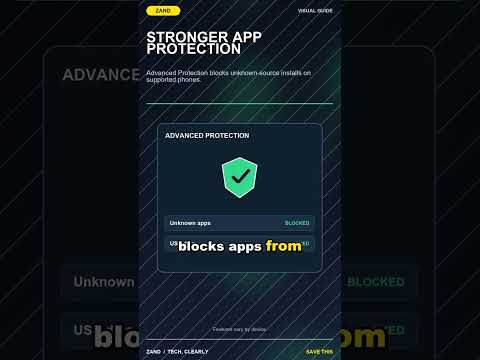
Follow these steps carefully to install the app correctly. Before you start, ensure your device allows installations from unknown sources. You can enable this in Settings > Security.
- Visit the official WinSpirit website using your Android browser.
- Navigate to the “Mobile” or “Download” section of the site.
- Tap the “Download for Android” button. The file will be named something like ‘winspirit.apk’.
- Once downloaded, open the file from your notification bar or downloads folder.
- Your device will prompt you to confirm the installation. Tap “Install”.
- After installation is complete, tap “Open” to launch the application.
If the installation is blocked, double-check the “Unknown Sources” setting. A common issue is a corrupted download; if you encounter errors, try downloading the file again.
Safety and Security Verification
Downloading APK files from outside the Play Store requires caution. Your safety hinges on downloading the genuine file. Always obtain the APK directly from the official WinSpirit website, not from third-party app stores or forums. The official APK is digitally signed by the casino’s operator, ensuring its integrity. To verify the app’s legitimacy after installation, check that it uses SSL encryption (look for the padlock icon in the browser bar when logging in) and that it prompts for your official login credentials rather than storing them insecurely. The app should not request unnecessary permissions, such as access to your contacts or text messages.
Navigating Bonuses and Promotions in the App
The mobile app provides full access to the platform’s promotions. A common offer is the WinSpirit no deposit bonus, which might provide a small amount of credits or free spins upon registration. More substantial is the welcome WinSpirit bonus, which often matches your first deposit by 100% up to a certain limit, such as €200. To activate a specific offer, you may need to enter a WinSpirit promo code during the deposit process. Be sure to check the wagering requirements, which are typically 35x the bonus amount, and game restrictions before claiming any promotion. Offers like WinSpirit free spins are usually valid for specific slot games only.
Common Issues and Troubleshooting
Even with a correct installation, you might face some issues. Here’s a quick reference table for the most common problems and their solutions.
| Problem | Likely Cause | Solution |
|---|---|---|
| App crashes on startup | Outdated Android OS or corrupted app data. | Update your Android version. If persists, uninstall and reinstall the APK. |
| Login fails repeatedly | Incorrect credentials or server maintenance. | Reset your password via the website. Check the casino’s status page for maintenance alerts. |
| Games not loading | Slow internet connection or app cache issue. | Switch to a stronger Wi-Fi network. Clear the app’s cache in your device settings. |
| Payment deposit not showing | Bank processing delay or payment method error. | Wait 10-15 minutes. If it doesn’t appear, contact support with your transaction ID. |
Final Verdict on the WinSpirit App Experience
The dedicated Android application offers a seamless and fast way to enjoy the WinSpirit platform. The installation process is straightforward if you follow the security guidelines. The app replicates the full desktop experience, including secure banking and all promotional offers. For the safest experience, always ensure you are downloading from the official source. For more information and to start the process, you can visit the official WinSpirit website directly from your phone’s browser.

Leave A Comment